
Your dashboard
See generated revenue, active campaigns, signal volume and your kovly investment in one place.

Inside kovly
This is the actual product: three screens between your existing data and money in the bank.
Step 01
kovly's agents read your customer data continuously and surface the moments worth acting on, each with a confidence score and a next step.
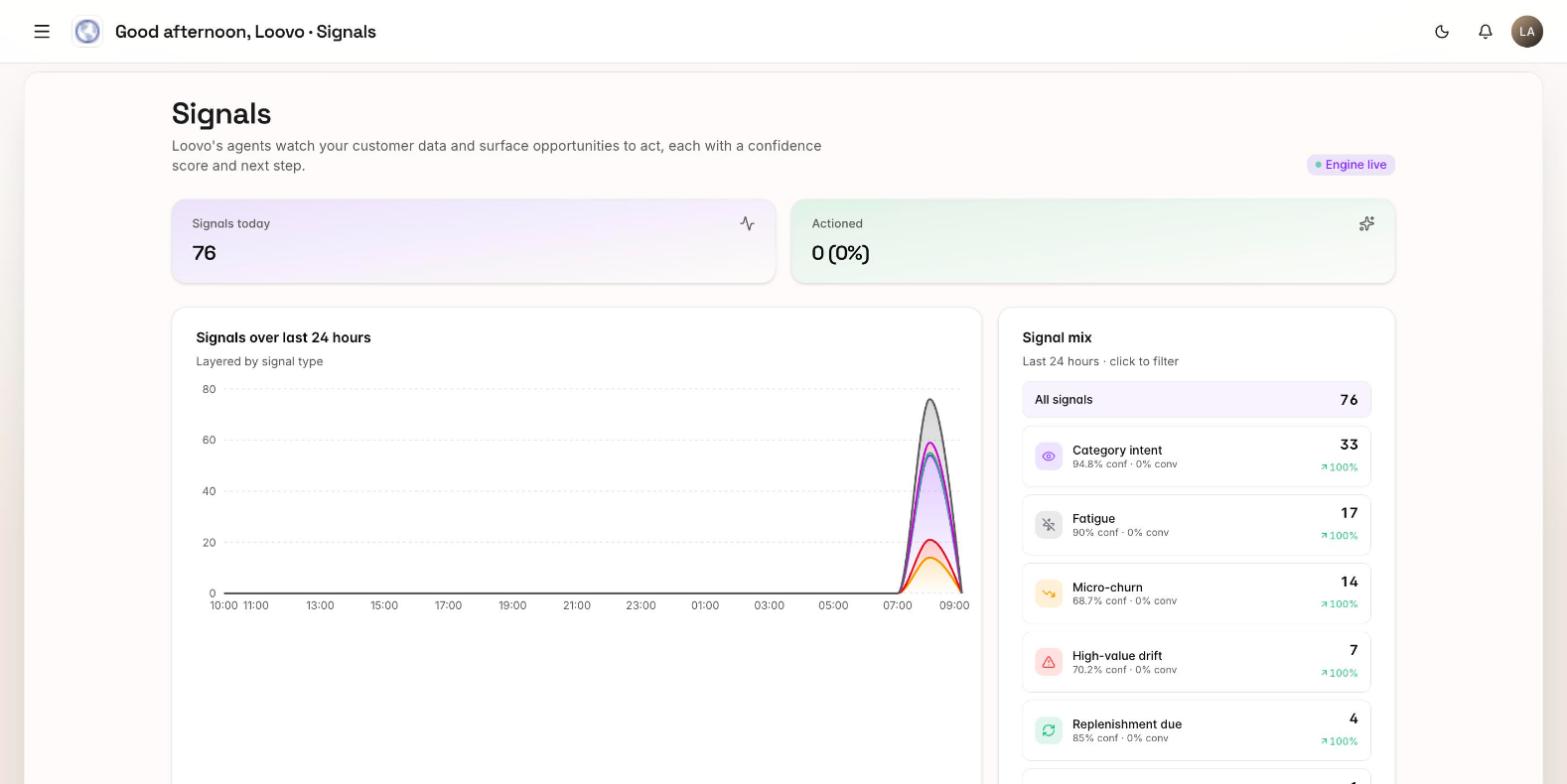
kovly builds a personalised workspace around your store, connects the tools you already use, and turns live customer signals into revenue - without replacing your stack or adding headcount.
No migration, no downtime, no replacing your CRM or marketing tools.
How you get started
The workspace is designed so a small retail team can set it up without engineers or integration specialists.
The kovly platform is currently available by invitation as we onboard teams carefully. Book a demo or request access and we will set up your private workspace when you are ready to start.
Add your primary store. kovly automatically detects your site, branding, social pages and product catalogue so that when you land in your workspace it already feels like yours. You can add more shops later as you grow.
Start with Shopify and Klaviyo. Authorise the connections and sign the compliance agreement so kovly can safely read the customer signals it needs to build your first personas.
Link the systems you already use to send messages, such as Klaviyo and Shopify. kovly does not replace them; it uses them as the delivery layer for the right message at the right moment.
Set your incentive rules, confirm your brand voice, make sure Shopify has your latest products, and add any extra data connections you can. The more data kovly sees, the sharper the personas and the bigger the revenue return. Then switch from manual approval to autopilot when you are confident.
Inside your workspace
Once connected, your workspace becomes the command centre for retention revenue - clear, simple and built for busy retail teams.
See generated revenue, active campaigns, signal volume and your kovly investment in one place.
Review recommended micro-moment campaigns, approve or edit them, then let kovly execute automatically.
Explore the real-time shopper behaviour kovly is detecting across your connected tools.
Watch dynamic shopper clusters form and update as customer behaviour changes.
How kovly works
Explore the signal ingestion, dynamic persona algorithms and autonomous agent fleet that turn your customer data into margin-safe revenue.
See the technologyData layer
Store · POS · Customer data
kovly intelligence
Personas · Intent · Agents
Action layer
Klaviyo · WhatsApp · Email
Request access and we will walk you through a personalised setup for your store.
Book a demo